A vacuum cleaner that has stopped picking up, cuts out after a few minutes or will not charge sends you to the manual first, and the manuals are worth reading. The faults they list come down to airflow, filters, belts, brushes, sensors and batteries. Some of those you can clear yourself in ten minutes. The rest need a technician with the casing open.
This page covers every type we repair: corded uprights and drum machines, bagged canisters, cordless sticks, handhelds and robots. It sets out what Dyson, Shark, Miele, Hoover and Roborock say in their own manuals and support pages, shows where they disagree, and marks what comes from us and not from a maker. Where a page was only a list of headings, we say so.
If you would rather skip the reading, message us. We come to your home or office, find the fault, quote a fixed price and start only when you say yes.
The diagnostic visit is AED 100 plus 5% VAT. A repair after it is priced at AED 80 to AED 400, according to the fault, and you approve the figure before we touch the machine.
Tell us the brand and model from the label on the body or under the dust bin.
Parts we fit are genuine. Before we order one we tell you whether it can be sourced here for your model, because belts, battery packs, chargers and boards differ from one range to the next.
We back the work with a one-month warranty on parts and labour.
The visit is at your address. A machine that needs the workshop travels there and back with us.
FaultWhat we look at
Weak suction or noneAirflow path, hose, filters, dust bin seal, motor
Cuts out or pulsesBlockage, thermal protection, battery, switch, board
Cordless will not charge, or run time has fallenCharger, dock contacts, battery pack, charging port
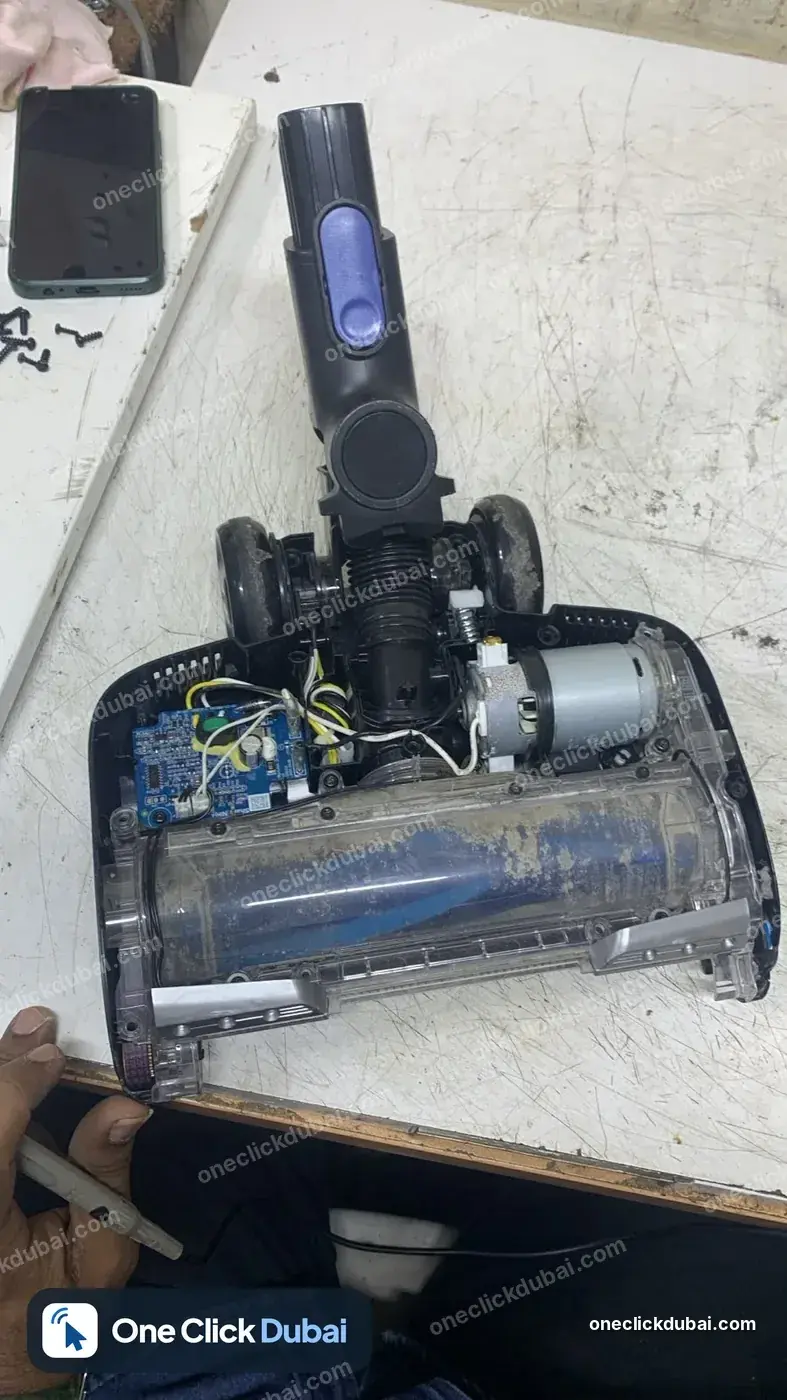
Brush bar not spinningBelt, brush bar, drive motor, brush head connection
Burning smell or smokeBelt, motor, wiring. Stop using it first
Loud, rattling or whistling noiseBrush bar, bearings, hose, air leak, motor
Robot stuck, spinning or not dockingWheels, brushes, bumper, cliff and wall sensors, dock contacts
Hose, wand or cord damageHose cuff, swivel, cord, cord reel, plug
People search for sweeper repair as well, and this is the page for it. Should the figure approach the cost of a replacement, we say so before starting.
The type decides where the fault is. A bagged canister has no battery to age, and a robot has sensors a stick vacuum never had. The right-hand column shows what the manuals list for each type.
TypeHow to tellFaults the manuals list
Corded upright, baglessA dirt cup on the handle section, a brushroll in the floor head, a cord on a hookLow suction, brushroll not turning, motor stops, smoky or burning smell, cord rewind, headlight, hard to push (Hoover manuals)
Canister with a bagA body on wheels, a hose and a wand, a dustbag insideSwitches itself off with the overheating light on; changes in noise; loose bag holder (Miele manuals and support titles)
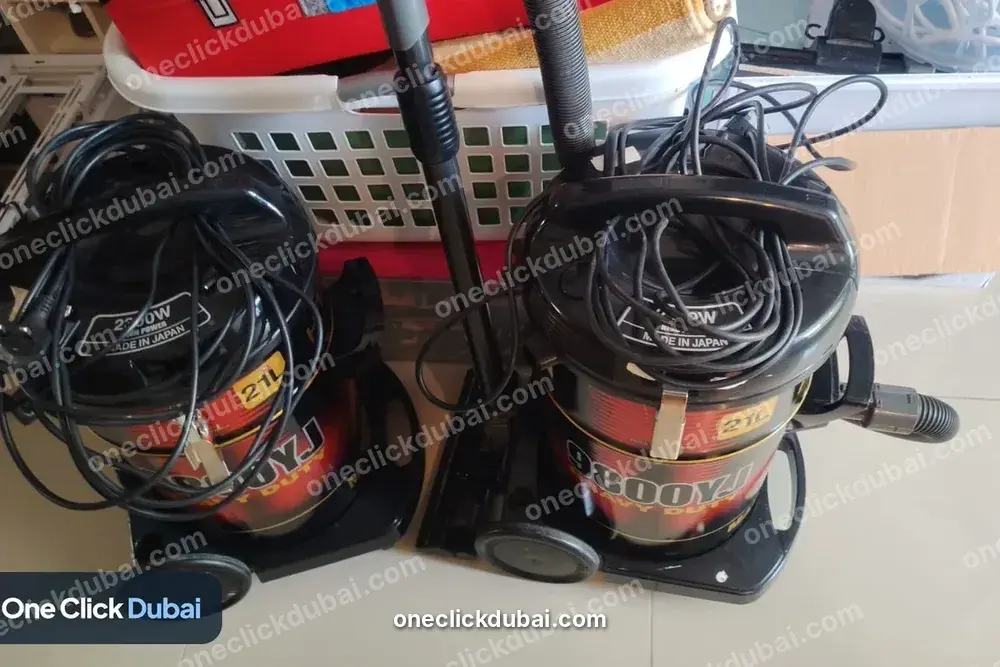
Drum or wet-and-dryA large barrel with a hose and a long cordThe airflow, filter and cord points below apply, and that is our reading, not a maker's
Cordless stickA motor in the handle, a click-in battery, a bin on the wandPulsing, cutting out, overheating, battery alerts, blockage alerts, filter wash alerts (Dyson); lights and charging (Shark)
HandheldA short body with a dust cup and a charging dockLow runtime, will not charge, turns itself off, dust escaping (Shark Wand Vac WV203 article)
RobotA disc that drives itself and returns to a dockNumbered error codes for brushes, wheels, bumper, cliff sensors, filter, dust bin and charging (Roborock manuals)
Window-cleaning robots and central systems are different machines. Send us the model and a photo and we tell you whether we can take it on.
Check this before you book, because a repair by us can change what the maker owes you. The clearest text is Dyson's, from its general warranty page.
QuestionWhat Dyson's page says
How long?2 years for cordless vacuums and 5 years for corded vacuums, from the purchase date
Which country?The page names no country. It says the box in which the machine is sold contains the valid warranty information, so the terms are the ones for where you bought it
What is covered?Repair or replacement if the machine breaks down in the period, using genuine Dyson parts. If a repair is not possible, the machine is replaced
What is excluded?Normal wear and tear, with fuses, belts, brush bars, batteries and filters given as examples. Misuse, neglect and use that does not follow the manual. Accidental damage, blockages, transit or weather damage and power surges. Non-genuine parts. Repairs by unauthorised parties. Use other than normal domestic household purposes
How to claim?Keep proof of purchase. Without it Dyson uses its own records, and the warranty starts 90 days after the manufacture date. Dyson says it will collect the machine free of charge or you can visit one of its service centres
The same page lists batteries as covered under its parts section and lists batteries as wear and tear in its exclusions. It contradicts itself. The owner's manual for your model settles it, so read that.
The Dyson V10 manual says clearing blockages is not covered by the guarantee. Dyson's warranty page lists blockages among its exclusions too, so two Dyson texts agree on this one.
The terms for your machine are the ones in your box and on Dyson's UAE support pages.
Ask the seller or look in the box.
Our advice, not Dyson's: while a machine is inside its warranty, claim with the maker first. We repair machines that are out of warranty, machines where the claim was refused, and machines whose owner has decided to repair independently. We are not a Dyson service centre and we do not say we are.
The texts treat weak suction as an airflow problem first. The causes they list differ by machine type, and the table below keeps them apart.
SourceCauses it listsRemedies it lists
Shark Wand Vac WV203 articleBlockage between the dust cup and nozzle; a full dust cup; dirty or worn fabric filter; clogged filter screen; low batteryPower off, clear the airflow path and accessories, empty the dust cup, clean or replace the fabric filter and filter screen, recharge
Hoover manual (uprights)Dirty filter; dirt cup full or clogged; broken or worn belt; brushroll or hose clogged; carpet height set wrongly; suction only mode switched onClean the filter, empty the cup, replace the belt, check the hose and brushroll, set the carpet height, press the brushroll pedal to turn off suction only mode
Hoover UH70400Rinsable filter or HEPA media dirty; full or clogged cup; belt; brushroll or hose clogged; automatic brushroll shut-offClean the filter, empty the cup, replace the belt, check the hose and brushroll, press the brushroll reset button
Miele HS12 and HS15Large articles blocking the suction tube; a full dustbag or fine dust in the bag; a heavily soiled exhaust or dust compartment filter (given as causes of overheating)Remove the cause, then let the machine cool
Dyson V11 support pageDyson says the machine stops itself if it overheats and gives filters needing a wash or a blockage as the causeLet it cool, then wash the filters and clear blockages (the page does not give the steps)
Hoover's manual refers to hose installation for dust leaks. Our reading, not Hoover's: a split hose, or a cuff that no longer seats, leaks air ahead of the bin and weakens suction.
The Hoover manual lists carpet height and suction only mode among causes. Both are settings, so check them before you assume a fault.
Our advice. clear the airflow path and clean the filter first, and book when the fault returns.
A machine with a clear path, a clean dry filter, an empty bin and a charged battery that still sucks weakly has a fault no manual covers. That is the one we diagnose.
Vacuum motor and thermal cut-outs: how long to wait
When a vacuum switches itself off, the maker's text says to let it cool, and the waiting times in those texts are not the same.
SourceWhat it saysHow long to wait
Miele HS12 and HS15A temperature limiter switches the machine off. Switch off at the foot control, unplug at the socket, remove the causeAbout 20 to 30 minutes
Hoover manual and UH70400Thermal protector activated. Unplug and let it cool, which resets the protector30 minutes
Shark Wand Vac WV203 articleOverheating, or a fully discharged battery. Power off, place it on the dock to cool, clear clogs, clean filtersAt least 45 minutes
Dyson V11 support pageA built-in safety system stops the machine if it begins to overheatNo time given: cool down sufficiently
Dyson V10 manualThe motor pulses and the blockage LED lights when there is a blockage, then the automatic cut-out follows. Disconnect from the charger, clear the blockage, refit all partsNo time given: leave to cool before looking for the blockage
There is no single number. The three figures printed range from 20 to 45 minutes, so use the one in your own booklet.
Dyson's V10 text says not to operate the machine while checking for blockages and to watch for sharp objects.
Miele's HS12 and HS15 text tells you to switch off and unplug first. Do the same on any corded machine.
A machine that cuts out again soon after a full cooling wait, with a clear path and clean filters, is not a blockage problem. That is a repair: the motor, the protector, the switch or the board.
Our advice, not a maker's: never bypass a thermal protector.
Cordless machines add a battery, and the manuals say more about handling it than about anything else. The texts below come from different makers and sometimes point different ways, so we show them side by side.
SourceWhat it says
Dyson V8 manualThe machine switches off if the battery temperature is below 3 degrees C. Do not charge it and then store it somewhere colder than that. Avoid recharging immediately after a full discharge, and allow a few minutes to cool. It advises against using the machine with the battery flat against a surface, and links that to the machine running cooler. The battery must not be heated above 60 degrees C, incinerated or taken apart
Dyson V10 manualUse only Dyson chargers. If the battery leaks, avoid touching the liquid and wash skin with soap and water. If it reaches the eyes, flush with water for at least 15 minutes. To replace the battery, contact the Dyson helpline
Dyson V15 support pageLists topics only: no power, no LED, blue flashing LEDs while charging, battery alert after a full charge, run time inaccurate after removing from charge. Says a click-in battery is the one with a large red release button.
Shark Wand Vac WV203 articleThe battery ships at about 30% charge and is not conditioned, so discharge it fully before first use, then charge until the indicator dims, about 2.5 hours. Return the vacuum to the dock after each use. If it will not charge, try another outlet and replace the battery if that fails. The dock will not charge a battery that is too warm until it cools
Shark's first-use advice to run the battery flat, and Dyson's V8 advice to avoid recharging straight after a full discharge, can both be true: one concerns the first charge and the other the habit after it. Use the booklet for your own machine.
Neither text gives an upper limit for charging or running in a hot room. The 60 degree figure in Dyson's V8 manual is a limit for heating the battery pack, not a room temperature.
Our advice, not a maker's. keep the machine and its charger indoors, away from direct sun, window ledges and a hot car, since Dubai summers put ordinary rooms and balconies through heat that the texts do not address.
Our advice. a battery pack that is swollen, hot while idle or leaking should be left unplugged. Do not open it, and message us.
A pack that no longer holds its run time, a charger that does not light and a dock whose contacts are burnt or loose are separate faults with separate parts. We test the charger and the pack before we quote a replacement, because a dead charger can look like a dead battery.
Brush bars, belts and floor heads
When the brush stops turning, the machine still sucks but stops lifting dirt. The texts list different causes by type. Dyson's V15 support page names a brush bar that is not spinning on the floor tool and the step of testing another tool as topics, without giving the steps.
MachineWhat the source listsRemedy given
Hoover uprightBrushroll switch off; clogged brushroll; belt broken or worn; belt broken or stretched with a smoky smellSwitch the brushroll on; clear the brushroll; replace the belt
Hoover powered hand toolToo much pressure on the tool; a blockage; low suctionUse light pressure; remove the blockage; check the suction items
Dyson V10 soft roller headRefers to the section on washing the brush bars; the fastener must be fully turned and the base plate and brush bars secureWash and refit
Dyson V10 direct drive head or mini motorised toolA coin releases the fastener, and the brush bar slides outClean, then close the fastener with a quarter turn clockwise
Roborock Q7 Max and S4 MaxMain brush or side brush tangled or jammedRemove and clean, and clean the bearings of the main brush
Dyson's V10 text says carbon fibre brushes may cause minor skin irritation and to wash your hands after handling them.
A belt that is stretched, not snapped, still turns a brush badly. The Hoover manual gives a stretched belt as a cause of a smoky or burning smell.
Our reading. a brush bar that spins freely by hand but not under power points to the drive, meaning the belt, motor or connection. That is where a technician starts.
A tangled brush is a cleaning job. One that jams again straight after cleaning needs a technician to look at the bearings and the shaft.
A wet filter is a fault of its own, which is why the wash instructions are so exact. Dyson's V10 manual sets out the method, and Roborock's S4 Max manual repeats the drying time.
SourceWhat it says
Dyson V10 manualTwist the filter unit anti-clockwise to remove it. Wash the inside first under the tap, then the outside with cold water. Repeat until the water runs clear. Tap out excess water and dry it open end up for a minimum of 24 hours. Refit only when it is completely dry, turning it clockwise until it clicks. Wash more often when vacuuming fine dust or mainly using boost suction. Do not put any part in a dishwasher, washing machine, tumble dryer, oven or microwave, or near a naked flame
Roborock S4 Max manualAn error appears if the filter is not completely dry. Dry it for at least 24 hours, clean it if it may be blocked, and replace it if the problem persists
Shark Wand Vac WV203 articleDust escaping comes from a fabric filter not seated correctly, a hole in the filter or a dust cup not seated. Reseat them or replace a damaged filter
Hoover UH70400Lists a dirty rinsable filter or HEPA filter media as a cause of low suction
Miele HS12 and HS15A heavily soiled exhaust or dust compartment filter is a listed cause of overheating
A filter that is not completely dry is the cause Roborock's text gives for its filter error. The Dyson V15 page lists a damp or musty smell as a topic but not the steps.
A hole in a filter shows as dust where there should be none. Hold it to the light.
Do not wash a part the manual does not allow to be washed. Paper bags and some filters are replaced, not rinsed.
When you have washed and dried the filter properly and the alert or the weak suction returns, the filter was not the fault, and the next check is the seal, the hose and the motor.
Bagged canisters and Miele machines
The Miele texts describe one problem fully, and the Miele Canada support page lists other problems without remedies.
ProblemWhat the source gives
Switches itself off, with the overheating light on (HS12, HS15)A temperature limiter. Causes: large articles blocking the suction tube, a full dustbag or fine dust in the bag, or a heavily soiled exhaust or dust compartment filter. Switch off with the foot control, unplug, remove the cause, wait about 20 to 30 minutes
Miele Canada's support page also names reduced cleaning performance on the Blizzard CX1, a change in operating noise, a loose FilterBag holder, a casing that is getting very hot, and fluff or static on the floorhead and suction wand. It gives no remedies for them, so we do not either. On a canister like this we test the hose, the seals, both filters and the motor, and the fault tells us which.
Our advice. change the bag before it is full. The Miele text names a full bag as a cause of overheating.
If the machine has a foot switch, use it to switch off, as the booklet says.
Our reading. a canister that switches off with a fresh bag, a clean filter and a clear tube points to the motor or protector.
Robots report faults by number, and the numbers are a fast way to separate a cleaning job from a repair. Roborock's manuals give lists for the Q7 Max and the S4 Max. The S4 Max page says that on an error the power indicator flashes red quickly and a voice alert plays.
ErrorQ7 Max manualS4 Max manual
1LiDAR turret or laser obstructed. Check for obstruction and retryThe laser unit is jammed. Rotate the laser head, clear what blocks it, move the robot and restart
2Bumper stuck. Clean it and lightly tap to release itBumper stuck. Tap the bumper repeatedly; if nothing falls out, move the robot and restart
3Wheels suspended. Move the robot and restartA wheel is suspended. Move it to a new location and restart
4Cliff sensor fault. Clean the sensors, move away from drops, restartRobot suspended. Move it away from raised edges; if it persists clean the cliff sensors
5Main brush jammed. Clean the brush and bearingsMain brush tangled. Remove and clean it, and the bearing
6Side brush jammed. Remove and clean itSide brush tangled. Remove and clean it
7Wheels jammed. Move the robot and restartMain wheels may be jammed. Remove and clean them, then restart
8Robot trapped. Clear obstacles around itRobot may be stuck. Clear obstacles around it
9Dustbin missing. Install the dustbin and filterDustbin or filter not installed correctly. Reinstall both; replace the filter if it persists
10No entry for this numberFilter not completely dry. Dry for at least 24 hours, clean if blocked, replace if it persists
The two models give different wording for the same number. Error 4 is a cliff sensor fault in one and a suspended robot in the other. Read the list for your own model.
Beyond error 10 the Q7 Max page adds. 12 battery charge low, 13 charging fault (clean the charging contacts), 14 battery fault (no remedy given), 16 robot tilted, 17 side brush fault and 18 fan fault (reset), 21 vertical bumper pressed, 22 docking locator fault, 23 could not return to the dock, 26 wall sensor dirty.
Our view. errors that persist after cleaning the sensors, brushes, wheels and contacts, and a battery, internal or fan fault that a reset does not clear, are the repairs.
The other half of a robot is its dock. Roborock's Q7 Max error 13 is a charging fault, and its remedy is to clean the charging contacts. Our wording: wipe the robot's contacts and the dock's with a dry cloth, with the power off.
Smells, noises and dust where there should be none
SymptomWhat the sources giveWhere it stops
Smoky or burning smellHoover's manual lists a broken or stretched belt in its smoky or burning smell rowStop using it and unplug. A belt is the only cause the text gives
Higher-pitched airflow soundShark's article lists it among the signs of a blockageClear the airflow path
Dust escapingShark: a fabric filter not seated, a hole in the filter, or a dust cup not seatedReseat or replace the filter
Dyson's V15 page also lists a damp or musty smell, a pulsating, grating, rattling or whistling sound, and fine dust from a new machine as topics, with no remedies in the text.
A smell of burning, any smoke, or a casing that is too hot to hold means unplug it and stop. Do not run it again to see if the smell comes back.
The sequence below is our own, drawn from the tables above. No tools, and nothing gets opened.
1
PowerIs it plugged in firmly, is the socket live, is the battery charged, is the dock lit?
2
Stop and coolIf it has cut out, switch off, unplug or take it off the charger and leave it for the time in your booklet.
3
Bin or bagEmpty the dust cup or change the bag.
4
PathLook through the hose, the wand, the inlet and the floor head for anything lodged. Do not run the machine while you look.
5
BrushCut hair and thread from the brush bar. Check it spins by hand.
6
FilterRinse only if your booklet allows it, then dry it for the time the booklet gives before refitting.
7
SettingsOn an upright, check the brushroll switch, the carpet height and suction only mode.
8
RobotWipe the sensors and contacts, free the wheels and brushes, and read the error against the table.
9
Stop thereIf none of this restores it, leave it unplugged and send us the model.
SituationWhat the manuals sayWhat we do
Cuts out again after the full cooling waitLet it cool; clear blockagesTest the motor, protector, switch and board
No suction with a clear path and a clean filterNothing furtherTest the motor and look for air leaks in the seals and hose
Will not charge on a good outletTry another outlet; replace the batteryTest the charger, the contacts and the pack separately
Brush will not spin under powerClear the brush; replace the beltCheck the belt, drive motor and connection
Robot error returns after cleaningReset the robotTest the sensor, motor or board named by the error
Burning smellReplace the beltInspect the belt, motor and wiring before it runs again
Warranty claimContact the maker or visit a service centreTell you what we found; the maker handles the claim
The middle column quotes only what the sources gave.
If you search for a vacuum cleaner repair shop near you, you will find places that take the machine in for a few days. Our first choice is to repair it where it stands, at your home or office, because most faults on this page can be diagnosed in one visit.
A fault that needs bench work, such as a motor or board that has to be tested out of the machine, goes to our workshop. We collect it, and you get a return date before it leaves.
A heavy drum machine or a long-cord commercial unit is easier to test where it stands than to carry.
A cordless machine with a charging fault can be tested at your door, because the charger, dock and pack are tested one at a time.
You are told which of the two it will be, and the price is agreed first.
Offices, hotels and cleaning companies
Dyson's warranty page limits cover to normal domestic household purposes. A machine that cleans a hotel corridor every night falls outside Dyson's cover under that rule, so a business owner should check the terms for the make in use.
We repair commercial vacuums as well as household ones. drums, uprights, backpacks and robots.
A fleet of machines is cheaper to keep running on a service plan, with visits set to how many machines you run and how many hours they work. We give plan terms on request and quote no price here.
Tell us the number of machines, the models and the daily hours when you book.
Brands we repair
We repair Dyson, Shark, Miele, Hoover, Bissell, Electrolux, Karcher, Panasonic, Bosch, Tineco and Dreame vacuums, and robot makes including Roborock, iRobot Roomba, Eufy and Ecovacs. If your brand is not listed, send the model and a photo of the label.
The manual texts on this page come from Dyson, Shark, Miele, Hoover and Roborock because those are the ones.
What follows is our opinion.
FaultOur view
Belt, filter, hose, brush barWorth repairing
Blocked path, thermal cut-out with a clear causeWorth fixing yourself first; a technician if it returns
Charger or dock contactsWorth repairing
Battery pack on an older cordlessCompare the quote with a new machine
Motor on a low-cost machineCompare the quote with a new machine
Motor on a premium cordless or a commercial unitGet the quote first
A machine inside its maker's warrantyClaim first, repair later
When you buy again, ask who services that brand in Dubai, whether the box carries a UAE warranty card and whether filters, belts and batteries are stocked here.
1
Message usSend the brand, the fault and your area.
2
TimeA same-day visit is offered whenever a technician is free.
3
Look firstWe read the label and test the charger, outlet or dock before opening the machine.
4
DiagnoseAirflow, filters, brush drive, motor, battery and sensors, in the order that fits the fault.
5
QuoteYou get a fixed price, and a part is ordered only after you approve it.
6
TestWe run the machine over a floor before we leave.
7
GuaranteeOne month on parts and labour.
Brand and model, from the label.
Whether it is corded, cordless or a robot.
What it does and when it started. no suction, cuts out, will not charge, smell, noise.
Any light, alert or error number, with a photo if you can.
What you have already cleaned, washed or replaced.
Where and when you bought it, and if you still have the receipt and the box.
Our technicians repair vacuum cleaners in Dubai Marina, JBR, Palm Jumeirah, JLT, Downtown, Business Bay, Jumeirah, Al Barsha, Dubai Hills and Deira. If you are elsewhere in Dubai, message us before you book.
How much does vacuum cleaner repair cost in Dubai?
+
AED 100 plus 5% VAT for the visit, then AED 80 to AED 400 for the repair according to the fault, approved by you first.
Can you repair a vacuum at my home?
+
Yes, that is our first choice. A fault that needs bench work goes to our workshop with collection and return.
Why has my vacuum lost suction?
+
The manuals list a blocked hose or inlet, a full dust cup or bag, a dirty or wet filter, a worn belt, the wrong carpet height and, on cordless machines, a low battery.
Why does my vacuum keep switching itself off?
+
The makers describe a thermal protector, and Miele, Hoover and Shark give 20 to 30, 30 and at least 45 minutes to cool. If it cuts out again after that with a clear path and clean filters, it needs a technician.
How long should I dry a washed filter?
+
Dyson's V10 manual says a minimum of 24 hours, and Roborock's S4 Max manual gives at least 24 hours too.
My cordless will not charge. What do I check?
+
Try another outlet, clean the charging contacts and check the dock light. Shark's article says replace the battery if it still will not charge. We test charger, dock and pack separately.
Is clearing a blockage covered by the Dyson warranty?
+
Dyson's V10 manual says clearing blockages is not covered by the guarantee, and its warranty page lists blockages as an exclusion.
Will repairing it with you void my warranty?
+
Dyson's warranty page excludes repairs by unauthorised parties. We advise claiming with the maker first while a machine is covered.
Do you repair robot vacuums?
+
Yes, brushes, wheels, sensors, charging and docks. The error number on the display tells us where to look.
There is a burning smell. Is it safe to keep using it?
+
No. Unplug it and stop. Hoover's manual gives a broken or stretched belt as the cause in its smoky or burning smell row.
Can you repair a commercial vacuum?
+
Yes, and we offer service plans for fleets. Dyson's warranty page limits its cover to normal domestic household use.
Do you fit genuine parts?
+
Yes. Before we order we tell you whether the part can be sourced here for your model.
Message us on WhatsApp at +971 55 209 9785. Give us the brand, the fault and your area.